On February 2, 2026, GoDaddy revised its Universal Terms of Service to reclassify all 21 million of its customers as business users, including personal blogs, hobby sites, and one-off domain holders. The same revision pushed arbitration filing fees from around $200 to over $2,300, waived jury trial rights, and required disputes to be heard in Arizona (DomainNameWire, February 2026).
GoDaddy manages roughly 84 million domains (Cybernews, 2026), so a meaningful share of the internet just got handed a reason to move. If you are reading this, you might be one of them. Or you might be an agency about to move 50 client domains.
Either way, the risk is not the transfer itself. It is starting one without a baseline of what your domain looked like before. That is where avoidable traffic drops come from, and that is what this guide fixes.
Below: a 5-point pre-transfer audit, a 4-step transfer process, and a post-transfer monitoring checklist. The transfer takes minutes. The preparation is what protects your rankings.
Registrar Transfer vs Domain Migration: What Actually Affects SEO
Most domain-transfer anxiety comes from confusing two events that share a name and almost nothing else. A registrar transfer moves your domain from one company’s management to another’s. The domain name, URLs, backlinks, and content stay identical. A domain migration moves your site to a new domain name entirely. Different URL, different canonicals, every backlink suddenly pointing to the wrong place. The rest of this article hinges on that distinction.
What changes | Registrar transfer | Domain migration |
Domain name | Same | Different |
Backlinks | Preserved | Broken until 301s redirect them |
Indexed URLs | Same | New URLs need re-indexing |
DNS records | Need to be re-staged at new registrar | Need to be re-staged at new registrar |
Required Search Console action | None | Change of address request |
Typical SEO risk | Near zero when DNS is handled right | Real, measurable, requires planning |
Reader’s likely scenario | This article | Different guide entirely |
The rest of this guide covers the registrar transfer scenario. If you are also changing the domain name itself, you need a 301 redirect map, a Search Console change-of-address request, and backlink outreach. That is a different process and a different post.
Why Registrar Transfers Don’t Hurt SEO
A registrar transfer is invisible to Google’s ranking layer. Googlebot crawls a domain by resolving its DNS, not by querying the registrar database. The company that manages your billing record never enters the ranking equation. Backlinks point to a domain name, authority accrues to the domain, and neither is touched by who manages the registration.
The risks are operational, not algorithmic. Missed DNS records, expired SSL, or downtime during nameserver propagation. Each is preventable by the baseline and steps below.
A registrar transfer, executed correctly, has near-zero SEO impact. Operational mistakes during the transfer can hurt rankings. The baseline below is how you avoid them. |
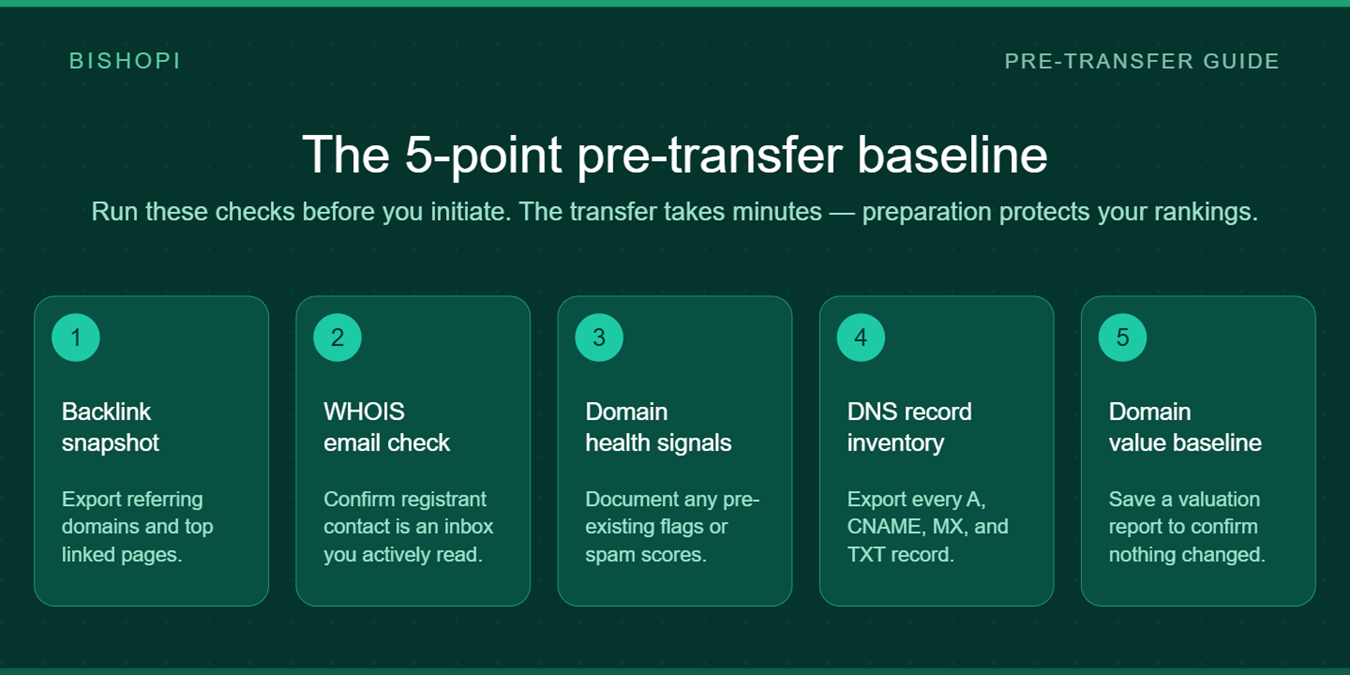
The 5-Point Pre-Transfer Baseline
Every registrar guide skips this section because it does not feed their transfer funnel. Spend 30 minutes here. The cost of skipping it is days of diagnostic work later if rankings move and you have nothing to compare against.
# | What to baseline | Why it matters | Where to do it |
1 | Backlink profile snapshot | Diagnose any post-transfer traffic shifts | Bishopi Domain Analysis |
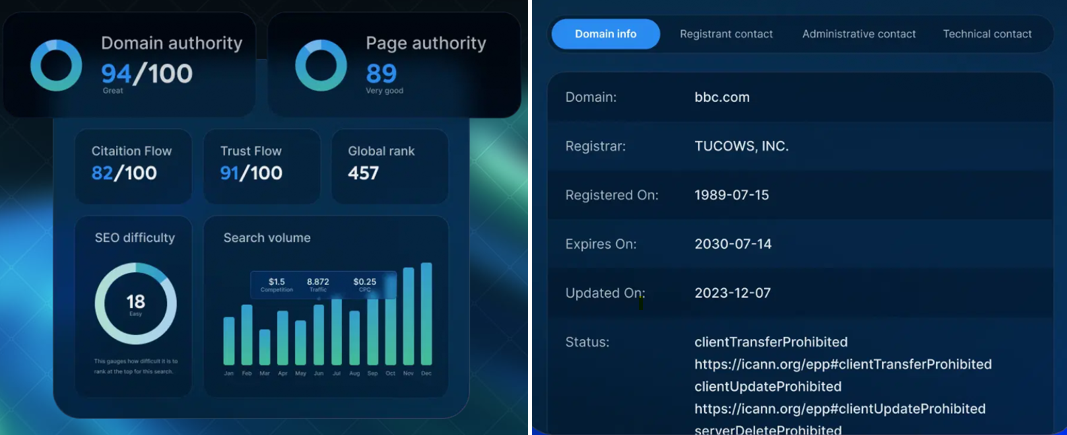
2 | WHOIS registrant email | Approval link goes here, stale email = failed transfer | WHOIS Lookup |
3 | Domain health signals | Separate pre-existing issues from transfer damage | Search Console + Domain SEO Analysis |
4 | Full DNS record inventory | Records do not auto-transfer with the domain | Current DNS panel |
5 | Domain value baseline | Confirm signals are intact afterward | Bishopi Domain Value Analysis |
1. Backlink profile snapshot
Export referring domains and top linked pages before you initiate the transfer. If rankings move afterward, you need a baseline to know whether the cause was the transfer, an algorithm update, or something unrelated. Record the date, total referring domains, and top 20 linking pages. Use the Bishopi Domain Analysis API or your tool of choice. Save the export somewhere you will find it in 30 days.
2. WHOIS registrant email verification
Stale registrant emails are the single most common reason transfers fail or stall. The EPP code and approval link are sent there. Run a WHOIS Lookup on your own domain and confirm the registrant contact is an inbox you actively read. If it is not, fix it now, but be aware that updating registrant info can trigger a 60-day transfer lock under ICANN policy. Some registrars allow a Designated Agent opt-out; check yours before changing anything.
3. Domain health signals
Document any pre-existing issues: spam score, manual action flags, HTTPS status, indexability problems. If these already exist, you want them on record so you do not later misattribute them to the transfer. Pull this from Google Search Console and Bishopi’s Domain SEO Analysis. You are baselining, not fixing. Fixes can wait until after the move.
4. Full DNS record inventory
Screenshot or export every DNS record on your domain: A, AAAA, CNAME, MX, TXT, SRV. If you are using your current registrar’s nameservers, these records do not automatically follow the domain. You will recreate them in the new DNS panel.
What a missing record breaks ✓ Missing MX record → email delivery stops ✓ Missing TXT record → SPF, DKIM, or domain verification fails (e.g., Google Workspace, Stripe) ✓ Missing CNAME → subdomains and integrations break (e.g., status.yourdomain.com, ESP-served pages) ✓ Missing A or AAAA → the site itself stops resolving |
5. Domain value and history baseline
Run a valuation and history check before you start. Not because the transfer affects value, but because afterward you will want to confirm nothing meaningful changed. Use Bishopi’s Domain Value Analysis for a free baseline. Save the report alongside your other exports.
Run your baseline first ✓ Free, no account required: WHOIS Lookup, Domain Analysis, and Domain Value in one place. Run all three before you initiate the transfer. |
The Transfer Process: 4 Steps
The transfer itself is mechanical. Each step takes minutes, but the order matters. ICANN governs the timeline, not your registrar, so the elapsed time is the same whether you move from GoDaddy to Cloudflare, GoDaddy to Porkbun, or any other ICANN-accredited destination.
Step 1: Check eligibility (the 60-day rule)
Under ICANN Transfer Policy, a domain cannot be transferred if any of the following happened in the last 60 days:
The domain was newly registered.
The domain was transferred between registrars.
The registrant contact information was updated (and the registrant did not opt out of the lock at the time, where the registrar offered the option).
Also confirm the domain is not expired, not in redemption period, and not subject to a UDRP or court hold. If DNSSEC is enabled, disable it at the current registrar before starting. Active DNSSEC can block validation at the destination.
Step 2: Get the EPP code (authorization code)
Log into the current registrar. Disable the registrar lock on the domain. Request the EPP code, sometimes labeled "auth code," "authorization code," or "transfer code." Most registrars send it to the registrant email in WHOIS, which is exactly why Step 2 of the baseline mattered.
The EPP code is time-limited. Windows vary, but 24 to 72 hours is typical. Treat it like a password. Once you have it, move directly to Step 3. If it expires, you can request another, but it slows you down.
Step 3: Initiate at the destination registrar and pre-stage DNS
At the new registrar, enter the domain and EPP code, and pay any transfer fee. Most gTLD transfers add one year to the registration, so you are not paying double.
Before the transfer completes, manually recreate every DNS record from your Step 4 baseline export at the new registrar. Do this now, not after. If you can lower your DNS TTL to 300 seconds 24 to 48 hours ahead of the move, do so. It minimizes propagation delay when nameservers switch. The full registry-level transfer takes 5 to 7 calendar days under ICANN rules, often faster.
Quick check before submitting ✓ DNSSEC disabled at origin ✓ Registrar lock disabled at origin ✓ Registrant email confirmed accessible ✓ Full DNS record export saved locally ✓ TTL lowered to 300s if possible (24-48h before) ✓ EPP code copied and not yet expired |
Step 4: Approve, confirm, and verify
Watch the registrant inbox for an approval email from the current registrar. Some require explicit approval; some let the transfer auto-complete after 5 days unless you reject it. Either path is fine.
Once the transfer completes, run a verification pass. Confirm the domain resolves correctly. Send a test email to and from a domain address. Verify the HTTPS certificate is live and trusted. Cross-check DNS records against your baseline export, line by line. Run a fresh WHOIS Lookup to confirm the registrar field has updated. Then set up Domain Monitor so any anomaly in the next 30 days surfaces immediately.
What to Monitor After the Transfer
Most post-transfer issues are caught within 48 hours by people who knew where to look. Set up these four checks before the transfer completes so you are not scrambling afterward.
Check | When | How | What you’re looking for |
DNS propagation | 24–48h | DNSChecker.org or similar multi-region tool | Inconsistencies between regions; missing records |
Email delivery | Immediately after transfer completes | Send + receive a test email both ways | Missing or mistyped MX / TXT records |
Ranking check | 7 days post-transfer | Search Console performance + coverage report | Crawl errors and 4xx responses, not the registrar |
Continuous monitor | 30 days | Bishopi Domain Monitor | Any unauthorized WHOIS, DNS, or availability change |
A registrar-only transfer should not move rankings. If yours do, the cause is almost certainly in the Search Console column, not the registrar switch itself. Email is a different story: it is the most common, most business-critical post-transfer break, and it usually traces to a missing DNS record. Test it the moment the transfer clears.
Set this up before the transfer completes ✓ Bishopi Domain Monitor sends alerts the moment any registered signal changes: WHOIS, DNS, availability. Useful for the 30 days after a transfer when you want any anomaly to surface fast. |
Frequently Asked Questions
Does transferring a domain affect SEO?
A registrar transfer (same domain name, new registrar) does not affect SEO when handled correctly. The domain name, backlinks, and authority are unchanged, and Google does not factor registrar changes into rankings. The actual risk is operational: misconfigured DNS or downtime during the transfer can affect crawlability. Preparation prevents both.
How long does a domain transfer take?
Up to 5 to 7 calendar days under ICANN rules, though most complete within 2 to 3. The clock starts when you submit the EPP code at the destination registrar. Your domain continues to function normally throughout. Downtime only happens when DNS records are not pre-staged at the new registrar before nameservers switch.
What is an EPP code and where do I find it?
An EPP code (also called an auth code or authorization code) is a unique string issued by your current registrar that authorizes the transfer. Find it in your registrar’s domain management panel, typically under "Transfer Out," "Security," or "Domain Lock." It is sent to the registrant email in WHOIS and usually valid for 24 to 72 hours. If it expires, request a new one.
What is the 60-day rule for domain transfers?
ICANN’s 60-day transfer lock blocks a domain from being transferred if it was registered, transferred, or had its registrant contact updated within the last 60 days. The lock is automatic. Updating your registrant email, even just to correct a typo, restarts the clock unless your registrar offers a Designated Agent opt-out (see ICANN Transfer Policy).
Can I transfer a domain that is about to expire?
Yes, with caution. A standard transfer adds one year to the registration, so transferring before expiry is generally safe. However, ICANN rules state you cannot transfer a domain in the redemption grace period (typically 30 to 45 days post-expiry). If yours has already expired, renew at the current registrar first, then transfer. Most destination registrars will not accept an expired domain.
Should I disable DNSSEC before transferring?
Yes. If DNSSEC is enabled, disable it at the current registrar before initiating the transfer. An active DNSSEC configuration at the origin can block the transfer or cause DNS validation failures at the destination. Once the transfer is complete and DNS is confirmed working at the new registrar, you can re-enable DNSSEC there.
Run Your Baseline Before You Move
You have picked a better registrar. Now confirm your domain is actually worth what you have built. Run a free baseline check with Bishopi’s WHOIS Lookup and Domain Value Analysis before you start the transfer, then again after it completes. If the signals match, the move was clean. If something shifted, you will know within hours, not weeks.
Still weighing destinations? See our best domain registrar in 2026 breakdown. Bishopi has no referral relationships with any of them, which is the whole point.
Originally published at: bishopi.io
Stay up to date
Get updated with all the news, update and upcoming features.