The Best Free Keyword Research Tools for Low-Cost SEO
Keyword research has always been the foundation of effective SEO. But in 2026, it’s also one of the most expensive parts of the process.
For instance, premium SEO keyword software can cost anywhere between $100 and $500+ per month for professional or agency-level SEO. Entry-level subscriptions start from $50 to $100 per month. This cost can limit freelancers, small agencies, bloggers, and startups working on a shoestring budget.
The good news? There are several inexpensive SEO tools out there. These tools can help you uncover keyword ideas, understand search intent, and build powerful content creation strategies.
That said, relying solely on free SEO tools does come with trade-offs. Most have limited data accuracy, capped searches, delayed updates, and restricted competitive insights.
This guide explores the six best free keyword research tools available today.
What to Look for in a Free Keyword Research Tool
Before you choose a keyword research software, consider its capabilities and how you actually want to use it. Here are key things to consider:
Keyword discovery and validation
Search volume reliability
Long-tail keyword coverage
SERP and search intent insights
Export and usage limits
Best Free Keyword Research Tools at a Glance
Here is a quick overview of the free keyword research tools on the market today:
Tool | Best for | Pros | Cons |
|---|---|---|---|
Google Keyword Planner | Baseline keyword volume and commercial intent | Strong for transactional keywords, validates demand using Google data | Volume ranges only, advertiser-focused, weak for long-tail keyword discovery |
Google Search Console | Identifying keywords you already rank for | Real performance data, finds page 2–3 opportunities, ideal for quick SEO wins | No volume data and competitor insights |
Google Trends | Identifying trending and seasonal keywords | Identifies hot topics, excellent for seasonal trends, useful for niche validation | No raw search volume numbers, limited keyword depth |
AnswerThePublic(Free) | Identifying question-based and informational keywords | Great for content ideation, strong long-tail keyword discovery, supports topical authority | Very limited free searches, no search volume or competition insights |
Keyword Surfer (Chrome Extension) | Quick SERP-level keyword insights | Easy to use and no login required, keyword volume and CPC data, easy SERP validation | Limited data depth and accuracy, basic competitor insights, only available for the Chrome browser |
Ubersuggest (Freemium) | Beginner-friendly keyword research | Simple interface, competitor analysis and backlink data | Strict daily limits, restricted data depth, limited exports |
Let’s take a closer look at each software.
1. Google Keyword Planner
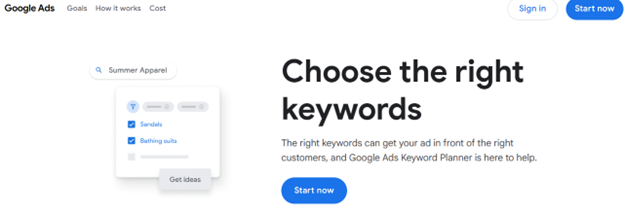
Google Keyword Planner is one of the best free keyword research tools for finding keyword data volume. The tool pulls data directly from Google Ads. While it is primarily useful for advertisers, you can use it for baseline keyword research.
For instance, with this tool, you can discover new and relevant keywords. You can also analyze monthly search volumes, and forecast potential traffic based on user search behavior.
Features
Pulls data directly from Google to provide relevant search volume trends, seasonal spikes in search interests, and target keyword suggestions
Powerful for finding new, related keywords and generating ideas based on a seed keyword or by scanning a competitor’s website
Cons
It prioritizes commercial keywords and may miss long-tail, informational keywords that are valuable for organic content strategy
Best use case: Use Google Keyword Planner to confirm whether a keyword has meaningful search demand, not as your only source of ideas.
2. Google Search Console
Google Search Console helps you uncover keywords your website is already ranking for in Google search results.
The Performance report shows which queries drive impressions and clicks to your site, along with your average position and click-through rate.
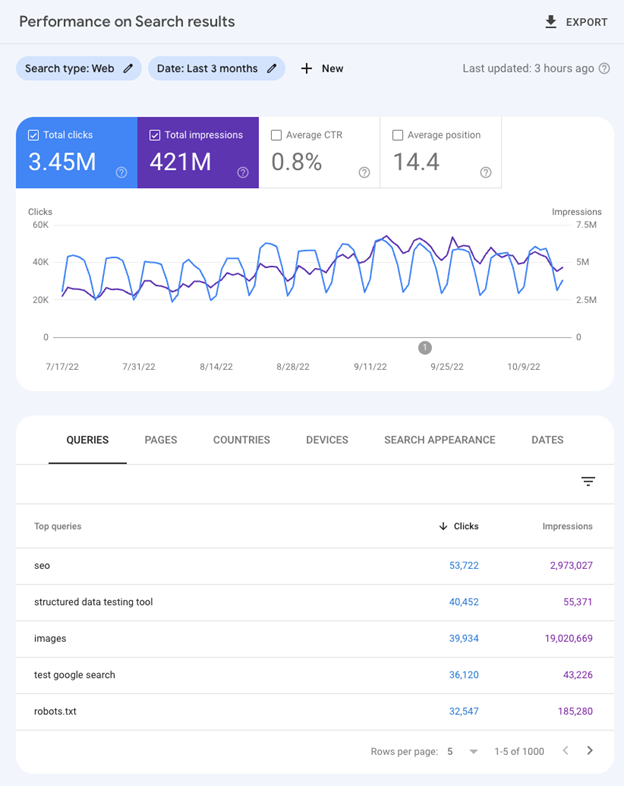
You can use this data to identify quick wins and content gaps.
Features
Provides your site’s organic performance data directly from Google’s database
You can track your keyword performance
You can identify and fix indexing issues
Cons
Data in GSC is sampled, so you can’t see 100% of the queries
You can’t track the performance of your competitors’ sites or traffic from other search engines
Best use case: Use Google Search Console to discover optimization opportunities within your site.
3. Google Trends
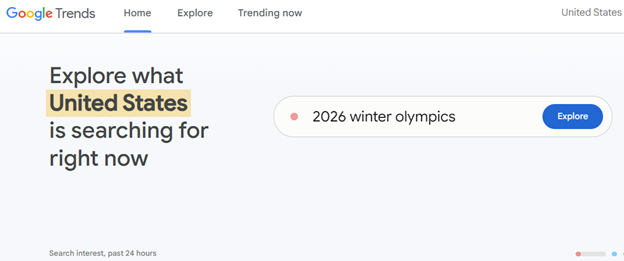
Google Trends is a free keyword tool that shows how interest in a keyword changes over time relative to other search terms.
It’s especially useful for identifying trending keywords or topics and seasonal patterns. You can also use it to compare multiple keywords to see which terms are gaining traction.
Features
Allows you to spot emerging search trends, spikes, and breaking news as they happen
You can identify long-term shifts in consumer behavior and industry trends
You can get detailed regional popularity data and identify seasonal demand patterns
Cons
The tool provides data as a scaled index (0-100) based on relative popularity instead of actual, absolute search volume
You must combine Google Trends data with other SEO tools to get exact volume, keyword difficulty, or competitive analysis.
Best use case: Google Trends is best for understanding how interest in a keyword changes over time, not how big the keyword is.
4. AnswerThePublic (Limited Free)
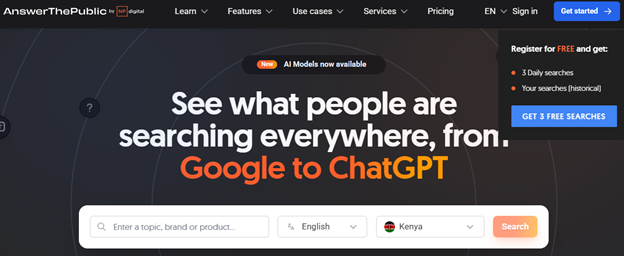
Using AnswerThePublic, you can uncover the questions and phrases your target audience is searching for online.
All you need to do is enter a seed keyword, and the tool will generate questions, prepositions, comparisons, and alphabetical keyword suggestions based on autocomplete data. The free version allows a limited number of searches per day.
You can use this tool when building FAQ sections or planning content for your blog posts.
Features
Lets you generate ideas for creating content strategy your blog
Allows you to discover unmined long-tail keywords and questions
Useful for topical authority building
Cons
Does not provide SEO metrics like difficulty or volume
The free option allows a limited number of free searches (typically around 3 per day)
Best use case: Use AnswerThePublic early in content planning to understand audience questions and informational intent.
5. Keyword Surfer (Chrome Extension)
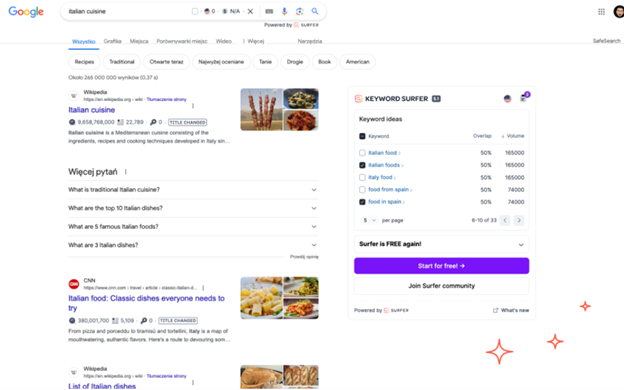
Keyword Surfer is a free browser-based tool by SurferSEO. This free keyword tool displays relevant keyword suggestions and search volume right in your Google search results.
As you browse, it shows estimated monthly volume for the query you just searched, plus a sidebar of similar keywords with their own volume estimates.
Features
Displays SEO metrics such as monthly search volume, Cost-per-Click (CPC), and related keyword ideas directly in the search bar
It shows estimated monthly traffic for ranking domains
Lets you see if article titles have changed in search results
Cons
You can only search for one keyword at a time
It doesn’t provide comprehensive SEO metrics
Best use case: Keyword Surfer is ideal for quick SERP-level keyword insights when browser-based tools are enough.
6. Ubersuggest (Freemium)

Ubersuggest is a freemium SEO tool that helps with keyword suggestions, search volume, SEO difficulty scores, and basic SERPs analysis.
The free version allows a limited number of searches per day and restricts how many results you can view, which makes it ideal for working on small projects.
The tool pulls data from multiple sources and presents it in a clean dashboard that's easy to navigate. You can see keyword ideas, content suggestions based on what's already ranking, and even backlink opportunities.
Features
You can generate keyword suggestions with search volume, SEO difficulty, and paid difficulty data
The tool lets you analyze competitor domains to see their organic traffic, top SEO keywords, and top-performing pages
Cons
You can only run up to 3 searches or reports per day
You can’t export search data easily.
Best use case: Ubersuggest is one of the cheap SEO tools for beginners, small business owners, and freelancers who want to perform ultra-light research.
The Hidden Costs of Free Keyword Research Tools
Over time, even the cheapest SEO tools can introduce hidden costs, such as:
Data sampling and outdated results
Hard limits on usage
Missing SERP-level insights
These costs can affect your productivity and accuracy.
Start With Free SEO Tools and Scale Smart
Free keyword research tools are an excellent starting point. They help beginners learn SEO fundamentals and validate ideas without financial risk.
But as your projects grow, you need to combine them with affordable SEO tools for better results.
Tools like Bishopi allow SEOs to:
Maintain cost efficiency
Scale keyword research responsibly
Deliver better results without premium pricing
Bishopi — The Affordable Alternative When Free Tools Fall Short
Free tools are ideal for learning, experimentation, and basic SEO work. But when you need consistent data, deeper SERP insights, and scalable workflows, these tools can limit your capabilities. You may want to consider affordable SEO platforms like Bishopi that offer scalable solutions.
These platforms offer a suite of SEO tools to help boost your rankings and drive organic traffic.
For instance, using the keyword analysis tool, you find high-potential keywords, examine search volumes, evaluate competition difficulty, and uncover opportunities that drive revenue.
You can conduct comprehensive SEO keyword research across 180+ countries with accurate metrics, keyword variations, and trend analysis, all in one platform.
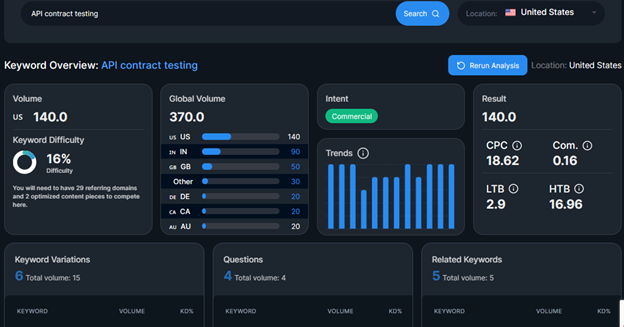
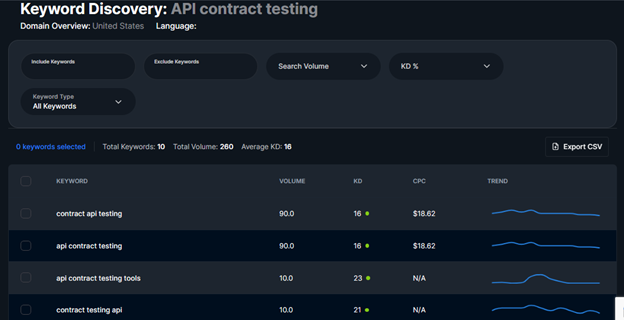
Keyword discovery lets you discover new keyword opportunities, search volume, difficulty, CPC and trends over time. You can then export your keyword data in CSV.
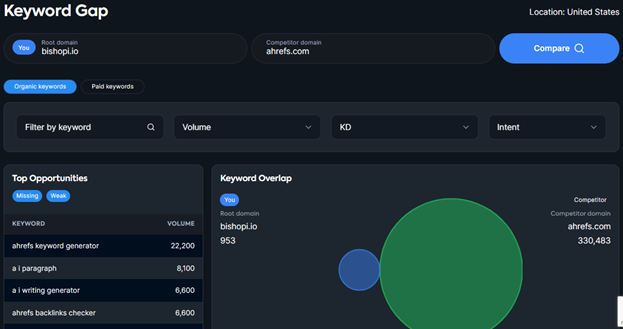
You can also perform keyword gap analysis to compare keyword rankings between your website and that of your competitor. This can help you uncover keywords to target that your competitors are ranking for.
Join hundreds of SEOs using Bishopi to scale keyword research and SEO reporting faster, smarter, and more affordably. Try the platform risk-free for 7 days to see how it works!
FAQs
Are free keyword research tools enough for SEO in 2026?
Free keyword research tools are sufficient for basic SEO tasks like idea generation, trend analysis, and identifying low-hanging opportunities.
However, they often lack accurate volumes, competitor data, and SERP insights. This makes them less effective for scaling content strategies or competitive SEO campaigns.
What are the main limitations of free keyword research tools?
Most free keyword tools come with capped searches, limited exports, sampled or delayed data, and weak competitive analysis.
While you can use them for validation and learning, they can slow productivity and reduce accuracy when managing multiple projects or targeting competitive keywords.
When should you upgrade from free to affordable SEO tools?
You should consider upgrading when you need consistent keyword data, deeper SERP insights, bulk exports, and competitor comparisons.
Affordable SEO tools can bridge the gap between free tools and expensive enterprise platforms to help freelancers and small teams scale without high monthly costs.
Originally published at: www.bishopi.io
Stay up to date
Get updated with all the news, update and upcoming features.